 Chop Sampler
User Guide / Troubleshooting
Troubleshooting
Fixes for the most common problems, plus how to get help. Most of this is also in the app under Chop menu > Help.
Audio crackles, drops out or feels laggy
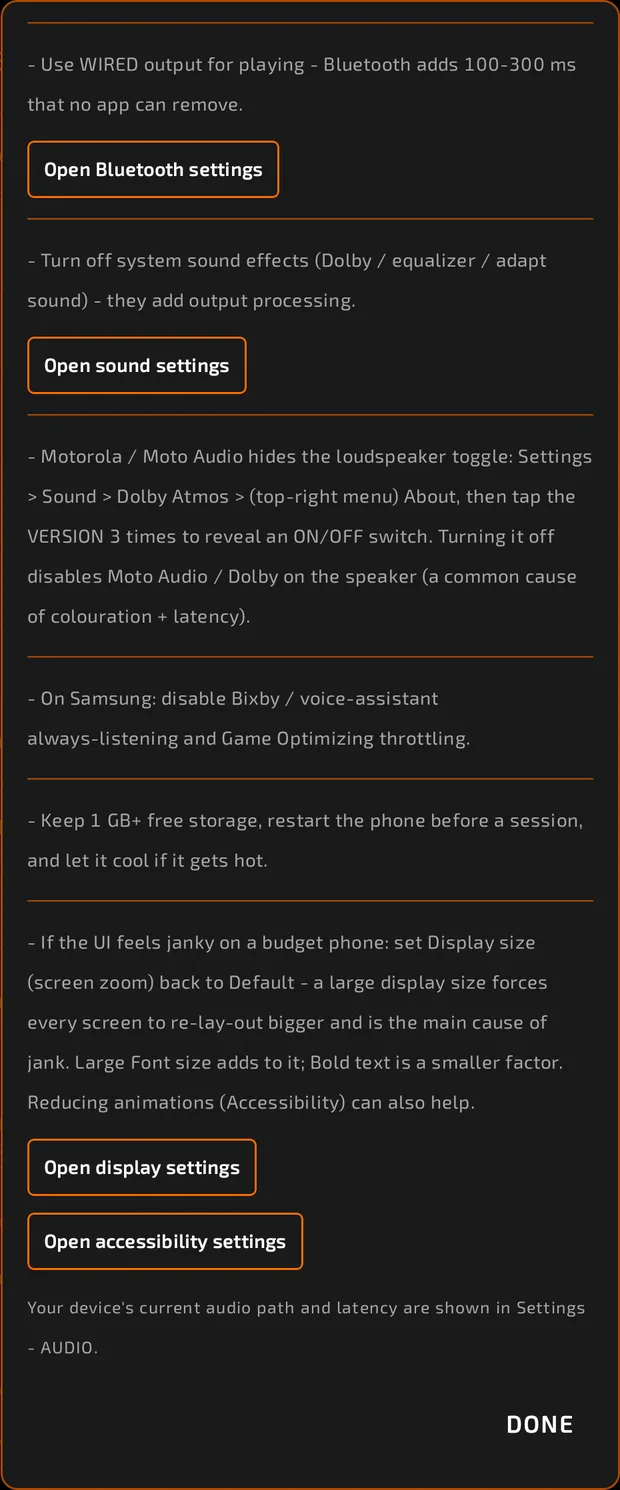
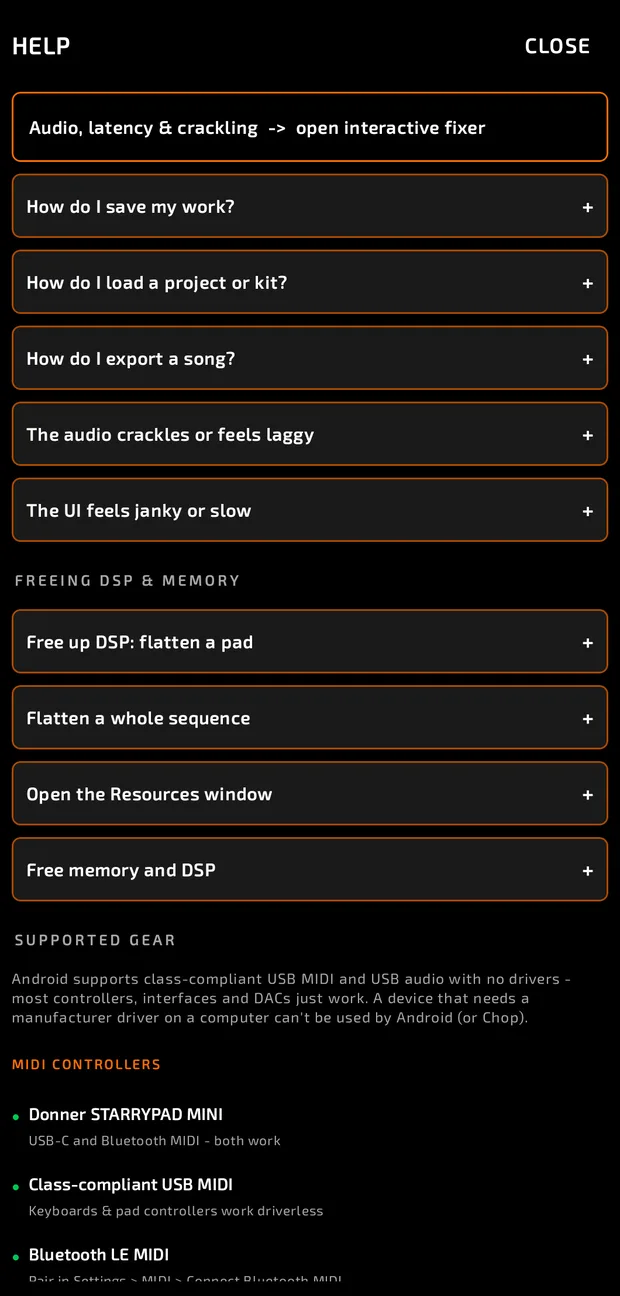
This is almost always the phone saving power or another app holding the audio. Open Help and tap Audio, latency & crackling for an interactive fixer with buttons that jump straight to the right phone settings.
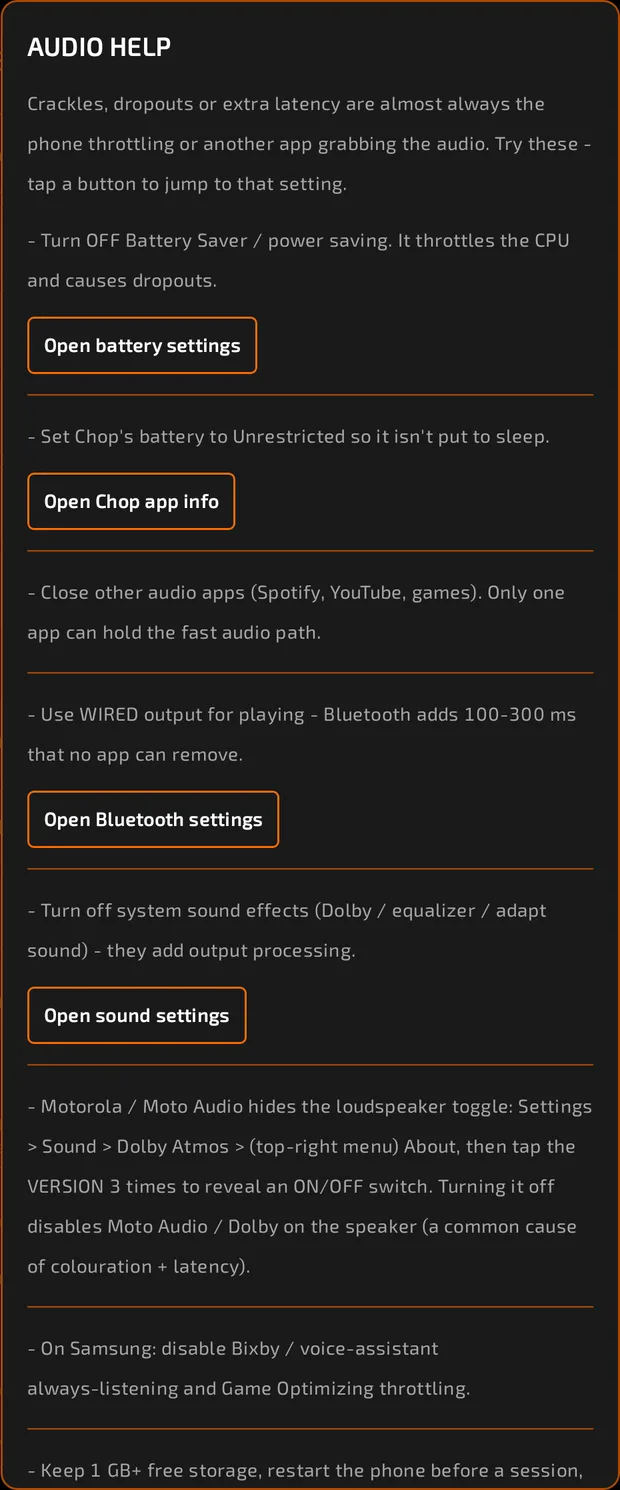
Try these, in order:
- Turn off Battery Saver (power saving). It slows the processor and causes dropouts.
- Set Chop's battery use to Unrestricted in Chop's app info, so Android doesn't put it to sleep.
- Close other audio apps (music, video, games). Only one app can use the fast audio path.
- Use wired headphones or speakers. Bluetooth adds 100 to 300 ms of delay that no app can remove.
- Turn off sound effects like equalizers or "adaptive sound" in your phone's sound settings. They add processing and delay.
- On some Motorola phones, the speaker's audio enhancement is hidden: Settings > Sound > Dolby Atmos > (top-right menu) About, then tap the version 3 times to reveal an on/off switch.
- On Samsung phones, turn off Bixby / voice-assistant always-listening and Game Optimizing throttling.
- Keep 1 GB or more of free storage, restart your phone before a session, and let it cool down if it gets hot.
Also check Chop itself:
- If the DSP number in the status bar is high, flatten pads with heavy effects or synths.
- If the dot beside CPU / MEM / DSP is red, your phone is hot. Give it a break.
- Your phone's audio path and latency are shown in Chop menu > About > AUDIO.
The app feels janky or slow
- A large Display size (screen zoom) in your phone's settings is the main cause. Set it back to Default (Settings > Display).
- A large Font size adds to it; Bold text is a smaller factor.
- Reducing animations (Accessibility settings) can help.
- A little jank right after opening the app is normal warm-up and settles after a few seconds.
Memory is full


If MEM is high or Chop says memory is full:
- Use FLUSH to remove unused samples, pads or sequences.
- Use FREE MEM to clear undo history.
- Flatten or remove big samples you don't need.
No sound from a USB adapter, interface or DAC
- Use a class-compliant USB device. Android can't use devices that need a driver on a computer.
- Choose your device in Settings > AUDIO DEVICE, or leave it on Automatic.
My MIDI controller doesn't work
- Make sure Settings > MIDI > MIDI INPUT is on and your device is listed.
- For Bluetooth controllers, use CONNECT BLUETOOTH MIDI.
- If CONTROL SURFACE is set to MACKIE CONTROL, normal note playing is paused: set it to OFF.
- If a mapped knob moves strangely, try Settings > ENCODER MODE.
- Check Help > SUPPORTED GEAR in the app for tested devices.
See MIDI.
A note is stuck
Double-tap STOP. It stops everything, releases every note (including on external MIDI gear) and returns to bar 1.
Common questions
How do I save my work? Tap the save icon in the middle strip. It glows when you have unsaved changes. If the song isn't named yet, Chop asks you to name it first. The Chop menu also has SAVE and SAVE AS.
How do I load a project or kit? Chop menu > OPEN PROJECT or OPEN KIT. You can also find them in BROWSE.
How do I export a song? Name your song and add at least one sequence in the SONG tab, then Chop menu > EXPORT. See Projects and Export.
Why can't I find my samples after reinstalling? Projects and kits are saved in the folders you chose, so set those folders again in Settings > FILE MANAGEMENT. Presets and settings come back with RESTORE FAVORITES & SETTINGS if you set a preset backup folder before.
Reporting a bug
- Open Help and tap Report a bug or crash, or tap REPORT in the Resources window.
- Describe what happened and what you were doing, and choose whether it happens every time (REPRO: YES, SOMETIMES or NO).
- Tap SHARE BUG REPORT and send it with any app you like.
Reports are private and stay on your phone. Nothing is sent unless you share it. Recent crash reports are kept under CAPTURED REPORTS so you can share those too.
Getting help

- Community and bug reports: chopsampler.com/discord
- Email: support@chopsampler.com